
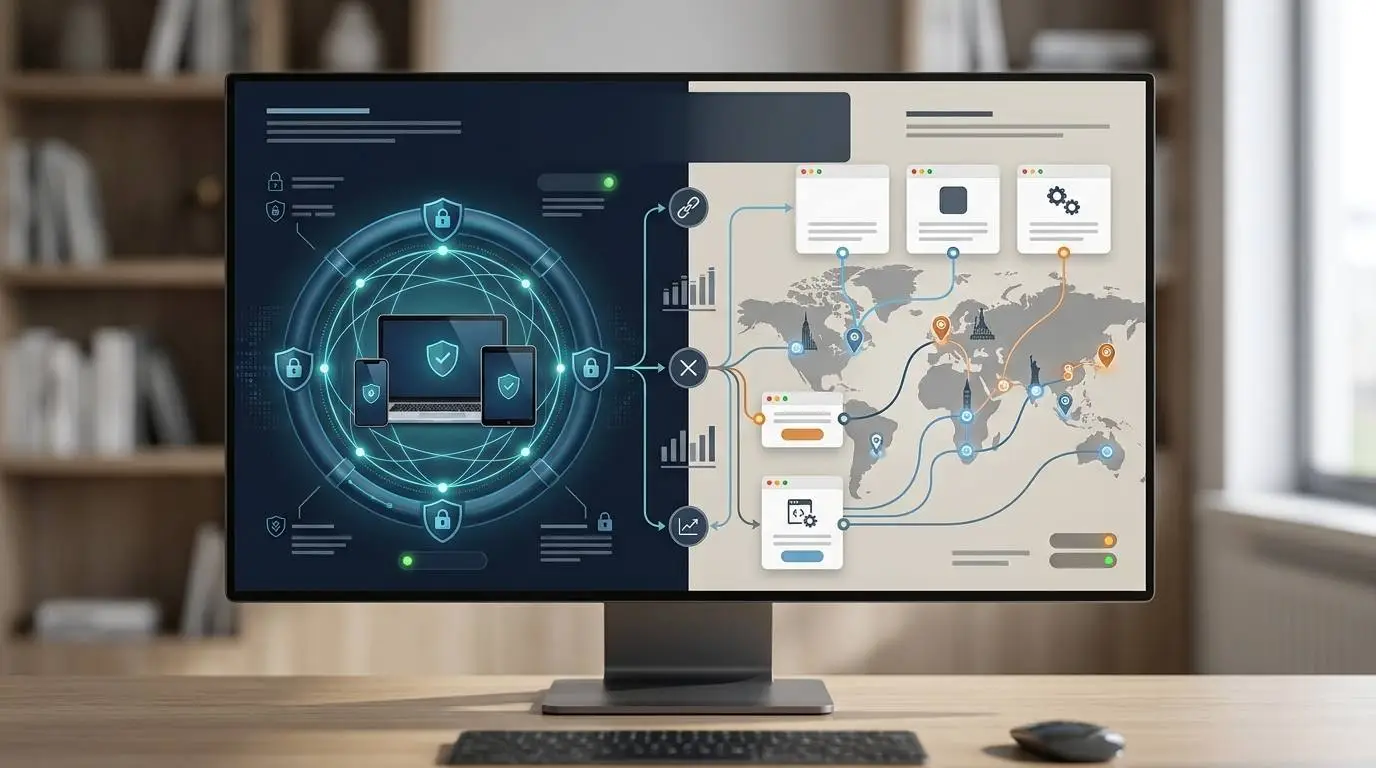
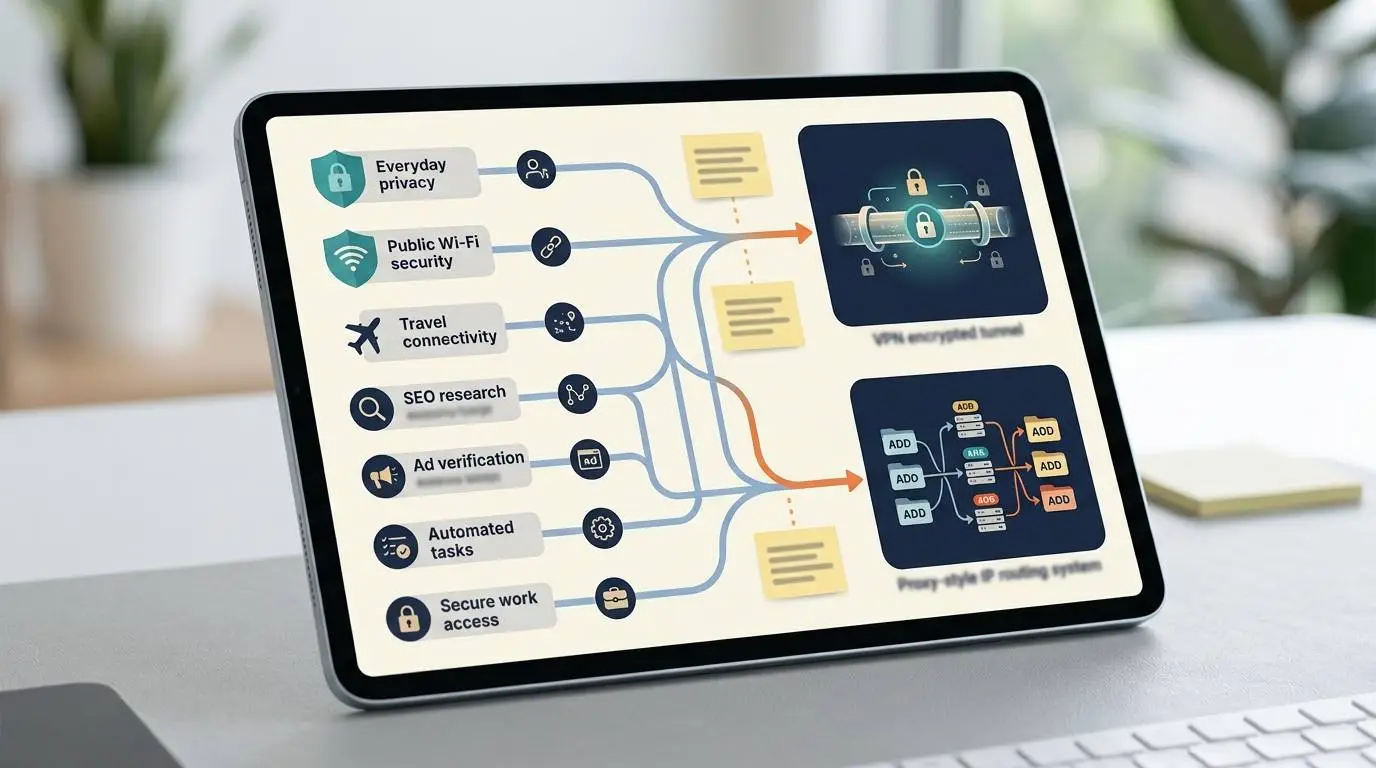
- A VPN is usually better for everyday privacy, public Wi-Fi and whole-device protection.
- A proxy is usually better for task-specific IP routing, SEO checks, ad verification and localized research.
- Both tools can change the IP address websites see, but they are not built for the same job.
- VPNs usually focus on encrypted device-level connections, while proxies often focus on flexible routing for apps, browsers or workflows.
- The smartest choice starts with the task: privacy, location testing, automation, work security or business research.
Most people do not wake up thinking about proxies and VPNs.
They think about real problems.
You are working from a coffee shop and do not fully trust the public Wi-Fi. You are traveling and need to access a service from back home. You run ads and want to check how your landing page appears in another location. You do SEO research and need to see search results from different regions. You want more privacy from your internet provider. You manage multiple accounts and need cleaner browsing separation. You are building a scraper, testing websites, checking prices, or verifying ads.
Then the question appears:
Do you need a proxy or a VPN?
The confusing part is that both tools can hide your IP address. Both can make traffic appear to come from another location. Both are often marketed as privacy tools. Both can be used for business, research, security, or location testing.
But they are not the same tool.
A VPN is usually better when you want privacy and security for your whole device.
A proxy is usually better when you need flexible IP routing for specific apps, browsers, tasks, locations, or automation workflows.
That is the simple version.
The better answer depends on what you are trying to do.
The Quick Answer
If you are a normal internet user who wants safer browsing on public Wi-Fi, more privacy from your internet provider, and a simple app that protects traffic from your whole device, you probably want a VPN.
If you are a marketer, SEO specialist, researcher, developer, data analyst, or ad verification user who needs different IPs for specific tasks, locations, browsers, or automated workflows, you may need a proxy.
The mistake is buying one because it sounds more private.
The right move is to match the tool to the job.
What a VPN Actually Does
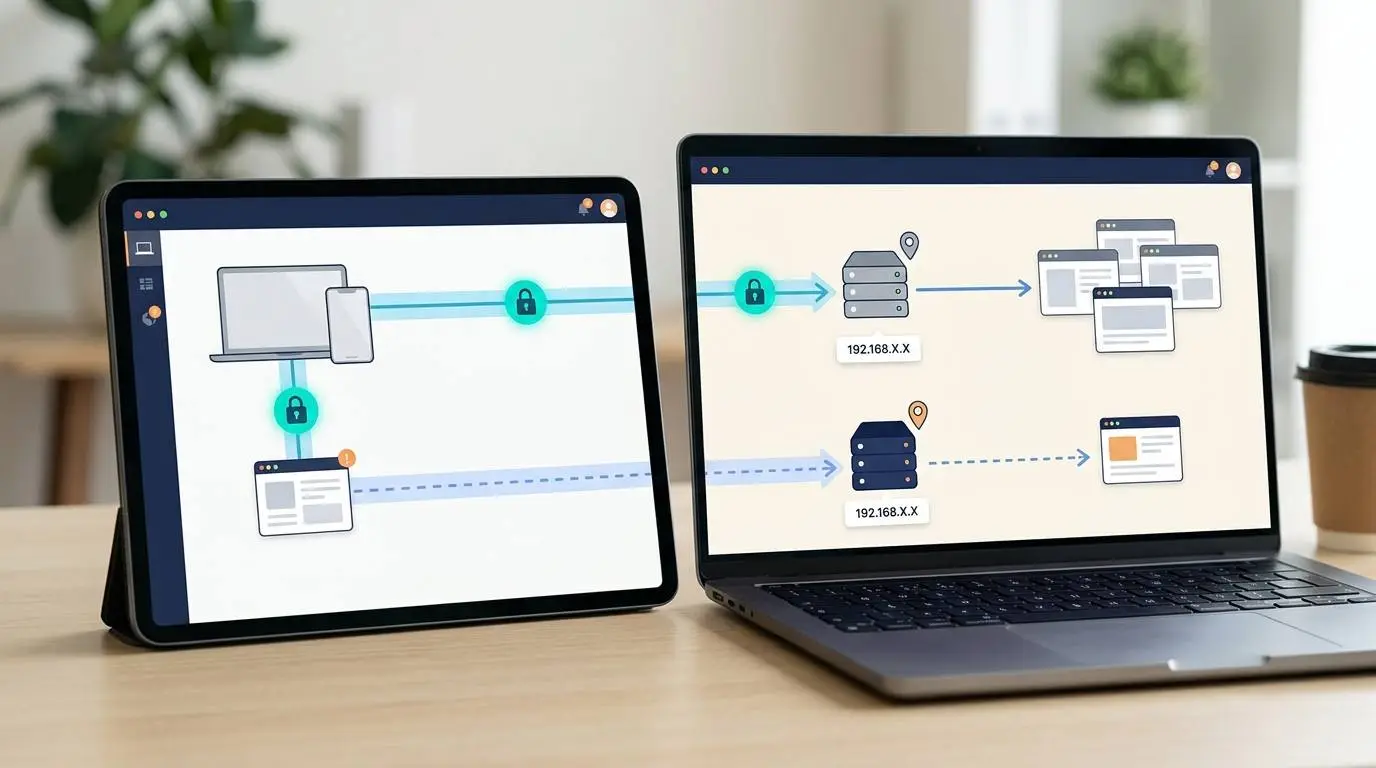
A VPN, or virtual private network, creates an encrypted connection between your device and a VPN server.
When you connect to a VPN, your internet traffic is routed through that VPN server. Websites usually see the VPN server’s IP address instead of your normal IP address. Your internet provider or local Wi-Fi network can see that you are connected to a VPN, but they should not be able to easily see the specific websites or data inside the encrypted tunnel.
That makes a VPN useful for everyday privacy and security.
For example, a VPN can help when:
- You use public Wi-Fi at airports, hotels, coffee shops, or coworking spaces.
- You want to reduce what your internet provider can see about your browsing.
- You want one simple app to protect traffic across your whole device.
- You travel and want a more consistent browsing location.
- You work remotely and need secure access to a company network.
- You want stronger protection when using unfamiliar networks.
A VPN is usually designed for humans using the internet normally.
You turn it on, choose a location, and browse.
That simplicity is the main advantage.

What a VPN Does Not Do
A VPN is useful, but it is not magic.
It does not make you completely anonymous. It does not stop websites from tracking you when you are logged in. It does not erase cookies or browser fingerprints. It does not protect you from phishing. It does not make unsafe websites safe. It does not stop you from voluntarily giving data to a service. It does not make a bad VPN provider trustworthy.
This last point matters.
When you use a VPN, you are shifting trust.
Instead of your internet provider seeing certain traffic patterns, your VPN provider may be in a position to see some of them. That is why trust, transparency, security history, audits, logging policy, and business model matter.
A VPN can improve privacy.
But a bad VPN can create a new privacy problem.
What a Proxy Actually Does
A proxy server acts like an intermediary between your device or app and the website you are trying to reach.
Instead of connecting directly to the website, your request goes through the proxy. The website may see the proxy’s IP address instead of your own.
That sounds similar to a VPN, but the setup is different.
A proxy is often configured at the browser, application, script, or task level. It does not always protect all traffic from your device. It may be used for one browser profile, one scraping script, one SEO tool, one ad verification task, or one automation workflow.
This makes proxies especially useful for technical or business use cases.
For example, proxies can help when:
- You need to check search results from different cities or countries.
- You need to verify ads in different regions.
- You need to test localized landing pages.
- You need to collect public web data responsibly.
- You need different IPs for different browser profiles.
- You need to monitor pricing or product availability.
- You need to run automation where IP flexibility matters.
- You need residential, datacenter, ISP, or mobile IP types for specific tasks.
A proxy is usually less about “protect my whole device” and more about “route this specific activity through this specific IP.”
That difference is important.
Proxy vs VPN: The Core Difference
The easiest way to understand the difference is this:
A VPN is usually device-level privacy and encryption.
A proxy is usually task-level routing and IP control.
A VPN is like putting your entire internet connection through a secure tunnel.
A proxy is like choosing a specific middleman for one browser, app, or workflow.
Both can change the IP address that websites see.
But they solve different problems.
Proxy vs VPN Comparison
| Question | VPN | Proxy |
|---|---|---|
| Does it usually encrypt traffic? | Yes, between your device and VPN server | Not always; depends on proxy type and setup |
| Does it usually cover the whole device? | Yes | Usually no; often app/browser/task-specific |
| Is it beginner-friendly? | Usually yes | Depends on setup |
| Best for public Wi-Fi privacy? | Usually VPN | Usually not the first choice |
| Best for SEO location testing? | Sometimes | Usually proxy |
| Best for ad verification? | Sometimes | Usually proxy |
| Best for everyday browsing privacy? | Usually VPN | Sometimes, but limited |
| Best for automation or scraping workflows? | Usually not | Usually proxy |
| Best for one-click protection? | VPN | No |
| Best for IP flexibility at scale? | Usually not | Proxy |
Use a VPN If You Want Everyday Privacy
A VPN makes the most sense when your main concern is simple everyday privacy and security.
For example, imagine you are working from a coffee shop in Austin, waiting for a flight in Atlanta, or using hotel Wi-Fi in Las Vegas. You want to check email, log into your bank, access work files, and browse without trusting the local network.
That is a VPN use case.
A VPN can make public Wi-Fi safer because your traffic is encrypted between your device and the VPN server. It also reduces what the local network operator can see.
This is why many people use VPNs while traveling, working remotely, or using shared networks.
A VPN is also useful if you want a simple privacy layer at the device level.
You do not want to configure every app separately. You do not want to think about individual proxy ports or browser sessions. You just want one switch that says “protect this connection.”
That is what VPNs are good at.
Use a Proxy If You Need Location Testing or Business Research
A proxy makes more sense when the goal is not general privacy but controlled access through specific IPs.
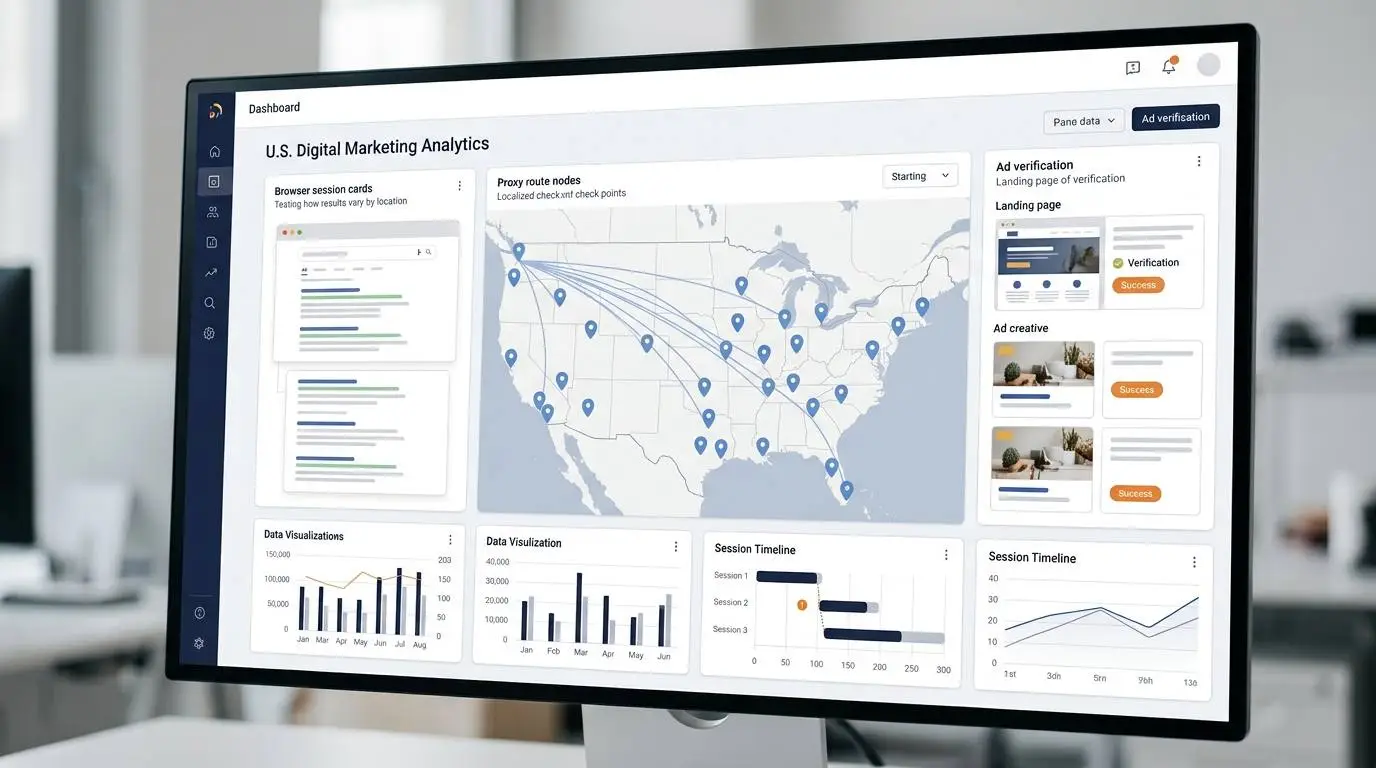
For example, a marketer may want to see how a landing page appears to users in California versus Texas. An SEO specialist may want to check local search results in New York, Miami, or Chicago. An ad verifier may want to confirm whether a campaign is showing correctly in a target region.
That is where proxies can be useful.
A proxy can help with:
- Local SEO checks
- Search engine result monitoring
- Ad verification
- Price monitoring
- Market research
- Competitor research
- Web testing
- Localized content review
- Browser profile separation
The value is precision.
You may not want your whole computer on a different route. You may only want one browser session or one tool to use a certain IP.
That is a proxy use case.
Use a VPN for Public Wi-Fi
Public Wi-Fi is one of the clearest VPN use cases.
If you are at an airport, hotel, conference, coffee shop, campus, or coworking space, you are using a network you do not control.
A VPN can help protect traffic from local network snooping. It can also help reduce the amount of browsing information visible to the network operator.
This does not mean you can ignore basic security.
You should still use HTTPS websites, strong passwords, multi-factor authentication, updated devices, and caution with suspicious links.
But for everyday people, a VPN is usually a simpler choice than a proxy for public Wi-Fi protection.
Use a Proxy for SEO and Ad Verification
If you work in SEO, paid ads, affiliate marketing, or market research, a proxy may be more useful than a VPN.
Why?
Because you may need to simulate different locations, devices, or sessions without changing your entire device connection.
Examples:
- Check whether an ad appears in a specific state.
- See how search results differ by location.
- Verify whether a landing page redirects correctly.
- Monitor competitor pricing in different markets.
- Review localized website content.
- Test geo-targeted offers.
- Run tools that need rotating IPs.
In these cases, proxies offer more flexibility.
A VPN can sometimes help with simple location changes, but proxies are usually better for workflows that need repeated testing, multiple locations, or automation.
Use a VPN for Streaming and Travel Convenience
Many consumers think about VPNs for streaming or travel.
This is not the only reason to use a VPN, but it is common.
A VPN may help some travelers access familiar websites, apps, or services from home while away. It may also help when certain websites behave differently based on location.
But users should be realistic.
Streaming platforms and websites may block VPN traffic. Some services restrict access by region in their terms. VPN performance can vary by provider, server, protocol, device, and location.
If streaming is the only reason you want a VPN, research carefully before paying.
Do not assume every VPN works with every platform.
Use a Proxy for Automation and Data Collection
Technical users often choose proxies because they need more control.
For example, a developer might need a proxy for a script that collects publicly available data. A business might need proxies to monitor price changes, verify listings, or test website behavior in different regions.
But this is also where responsibility matters.
Proxies should not be used to break laws, bypass access controls, steal data, spam websites, violate terms of service, or overload servers.
A legitimate proxy workflow should respect website rules, rate limits, robots.txt where relevant, data laws, and ethical boundaries.
The tool itself is neutral.
The use case determines whether it is acceptable.
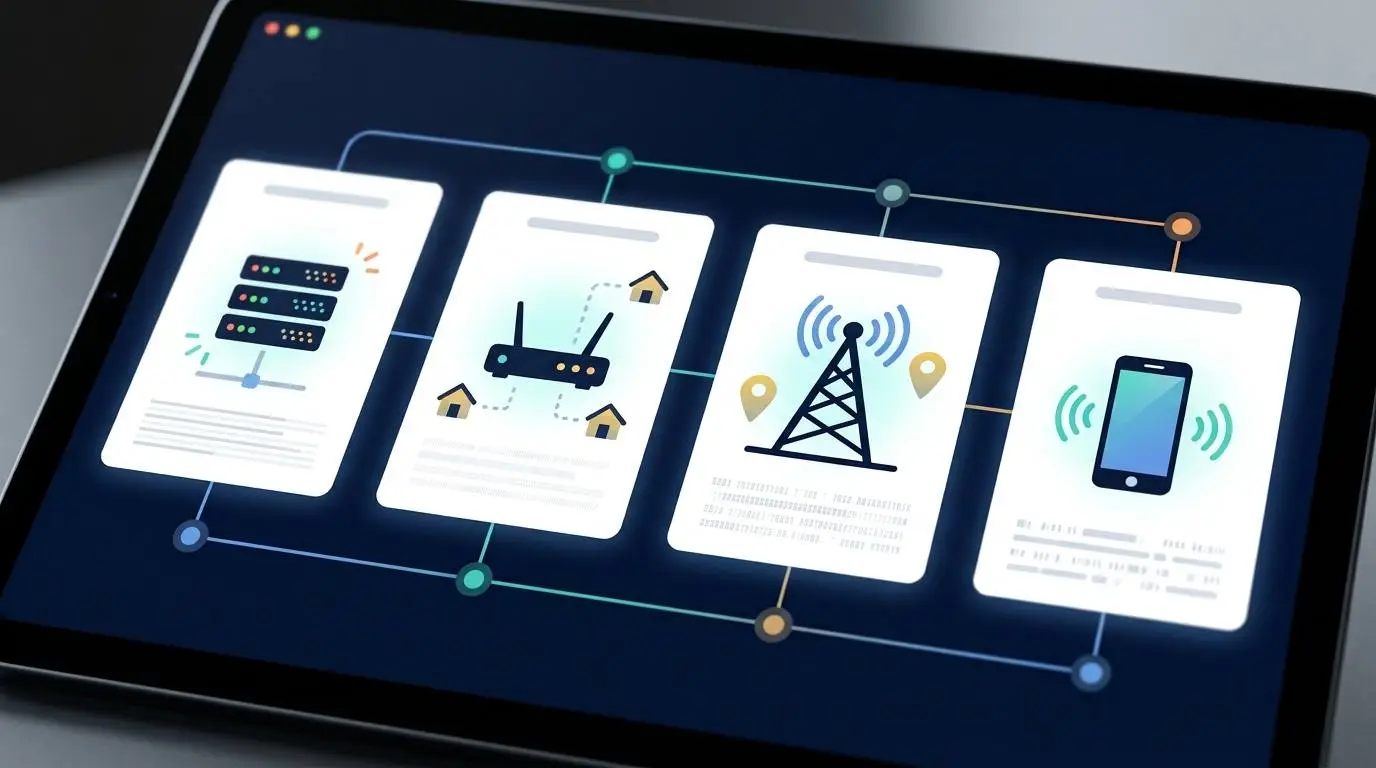
Residential Proxy, Datacenter Proxy, ISP Proxy, Mobile Proxy
Not all proxies are the same.
The type of proxy matters.
Datacenter Proxies
Datacenter proxies come from cloud or data center infrastructure. They are usually fast and cheaper than other proxy types.
They can be useful for:
- Basic testing
- Speed-focused tasks
- Non-sensitive automation
- Simple IP routing
But websites may detect datacenter IP ranges more easily.
Residential Proxies
Residential proxies use IPs associated with real residential internet connections.
They can be useful for:
- Localized testing
- Ad verification
- Market research
- SEO monitoring
- Use cases where residential IP appearance matters
They are usually more expensive and should be sourced ethically.
A serious provider should explain where its residential IPs come from and whether users have consented.
ISP Proxies
ISP proxies combine some traits of datacenter and residential proxies. They are often hosted on servers but registered with internet service providers.
They can be useful when you want more stability than rotating residential proxies but a more residential-looking IP profile than standard datacenter proxies.
Mobile Proxies
Mobile proxies use mobile carrier IPs.
They can be useful for:
- Mobile app testing
- Mobile ad verification
- Mobile-first market research
- Checking how services behave on mobile networks
They are usually expensive and should be used only when the use case actually requires mobile IPs.
Proxy vs VPN for Privacy
If your main goal is everyday privacy, a VPN is usually the better first choice.
A VPN can help reduce what your internet provider or local network can see. It can also hide your normal IP address from websites.
But privacy has limits.
A VPN does not stop a website from knowing who you are if you log in. It does not prevent tracking cookies. It does not automatically block browser fingerprinting. It does not stop data collection inside apps you voluntarily use.
A proxy can hide your IP for a specific browser or task, but it may not encrypt traffic or protect your full device.
So the privacy answer is simple:
For general privacy, choose a trusted VPN.
For task-specific IP control, choose a proxy.
Proxy vs VPN for Work
For remote work, the answer depends on what your company needs.
If your employer provides a corporate VPN, it may be used to access internal systems securely. That is different from using a consumer VPN for personal browsing.
A corporate VPN is about secure access to company resources.
A personal VPN is about privacy and security for your own connection.
A proxy may be used in business environments for filtering, traffic routing, access control, data collection, ad verification, or research workflows.
If you are working with company data, follow your company’s security policy. Do not route sensitive work through random proxy or VPN services without approval.
Proxy vs VPN for Small Businesses
Small businesses often choose the wrong tool because they start with the word “privacy” instead of the workflow.
A small business owner who travels, uses coffee shop Wi-Fi, and checks business accounts from a laptop may want a VPN.
A small business that runs local SEO checks, verifies ads in different markets, or monitors competitors may want proxies.
A marketing agency may need both.
The VPN protects team members.
The proxy supports research and testing.
They are different layers of the stack.
Proxy vs VPN for Affiliate Marketers and Media Buyers
Affiliate marketers and paid media buyers often care about how offers, landing pages, and ads appear in different regions.
For that, proxies are often more useful.
A proxy can help verify:
- Geo-targeted landing pages
- Offer redirects
- Ad visibility by location
- Localized pricing
- Compliance by market
- Search results by city or country
- Funnel behavior across IP types
A VPN may still help with general browsing privacy, but proxies are usually better for repeated market checks and controlled testing.
That said, marketers should avoid deceptive behavior, platform manipulation, account evasion, or policy violations.
Using a proxy for legitimate verification is different from using proxies to hide abusive activity.
The Biggest Mistake: Buying the Tool Before Defining the Job
Most people compare proxy versus VPN backwards.
They start with features.
Server count. Speed. Encryption. Rotating IPs. Residential IPs. Browser extensions. Country coverage. Protocol options. No-logs claims.
Those details matter, but they come later.
Start with the job.
Ask:
What am I trying to protect? What am I trying to access? What traffic needs routing? Is this for my whole device or one app? Do I need encryption? Do I need many IPs or one stable connection? Do I need privacy, location testing, automation, or secure remote access? Am I handling sensitive data? Do I trust the provider? Is this use case allowed by the service I am accessing?
The best tool is not the one with the longest feature list.
It is the one that solves the actual problem.
When You Might Need Both
Some people need both a VPN and proxies.
For example, a marketing agency might use:
- A VPN for employee security on public Wi-Fi.
- Proxies for localized SEO research.
- Proxies for ad verification.
- A company-approved VPN for remote access to internal files.
- Browser profiles with proxies for clean testing environments.
A developer might use:
- A VPN for general security while traveling.
- Proxies for testing how an app behaves from different locations.
A privacy-conscious user might use:
- A VPN for everyday browsing.
- A proxy inside one browser profile for a specific task.
The tools can work together, but they should not be stacked randomly.
More layers do not always mean more privacy. Sometimes they mean more complexity, slower speed, and more points of failure.
How to Choose a VPN
If you decide you need a VPN, look for:
- A trustworthy provider
- Clear privacy policy
- Strong encryption
- Modern protocols
- Kill switch
- Multi-factor account security
- Independent audits if available
- No unnecessary data collection
- Good speeds
- Reliable apps for your devices
- Transparent pricing
- Clear explanation of logging practices
Be careful with free VPNs.
Free services still need a business model. Some may collect data, show ads, limit security, or provide weaker protection than users expect.
A cheap VPN is not automatically bad.
A free VPN is not automatically unsafe.
But the provider’s incentives matter.
How to Choose a Proxy Provider
If you decide you need proxies, look for:
- Clear proxy type: datacenter, residential, ISP, or mobile
- Location coverage
- Speed and reliability
- Ethical sourcing, especially for residential or mobile IPs
- Rotation options
- Sticky sessions if needed
- Authentication options
- Good documentation
- API support if you need automation
- Transparent acceptable-use policy
- Support for your use case
- Clear pricing by bandwidth, IP count, or usage
For business use, do not choose a proxy provider only because it is cheap.
Bad proxies can create unreliable tests, blocked requests, poor data quality, or compliance risk.
Red Flags to Avoid
Whether you choose a VPN or proxy, watch for red flags.
Avoid providers that:
- Promise total anonymity
- Hide ownership information
- Have unclear privacy policies
- Offer unrealistic claims
- Provide no documentation
- Have suspiciously low prices for sensitive use cases
- Do not explain logging or data handling
- Encourage abusive or illegal use
- Make it hard to cancel
- Have a history of privacy or security problems
A privacy or routing tool requires trust.
If the provider does not earn trust, the tool may create more risk than it removes.
The Practical Decision Tree
Use this simple decision tree.
Choose a VPN if:
- You want safer browsing on public Wi-Fi.
- You want one simple app for your whole device.
- You want to reduce what your ISP or local network can see.
- You travel often and want a more private connection.
- You need secure remote access to work systems.
- You want everyday privacy more than task-level IP control.
Choose a proxy if:
- You need location-specific testing.
- You work in SEO, ads, research, or automation.
- You need different IPs for different browser sessions.
- You need rotating IPs or sticky sessions.
- You need residential, ISP, datacenter, or mobile IPs.
- You are verifying ads, landing pages, prices, or search results.
- You need task-level routing instead of whole-device protection.
Consider both if:
- You work remotely and also do market research.
- You manage paid ads across regions.
- You run SEO checks and also travel often.
- Your agency needs security for staff and proxies for testing.
- You have separate privacy and business research needs.
FAQ
Is a proxy safer than a VPN?
Usually no. A VPN is generally better for everyday security because it encrypts traffic between your device and the VPN server. A proxy may only route traffic for a specific app or browser and may not encrypt the connection depending on the setup.
Does a VPN hide everything I do online?
No. A VPN can hide certain traffic details from your internet provider or local network, but it does not make you invisible. Websites can still track you through logins, cookies, browser fingerprinting, and account activity.
Is a proxy better for SEO?
Often yes. Proxies are commonly used for SEO monitoring, local search checks, rank tracking, and regional testing because they provide more flexible IP and location control.
Is a VPN better for public Wi-Fi?
Usually yes. If you are on airport, hotel, coffee shop, or conference Wi-Fi, a trusted VPN is usually the better choice because it encrypts your device connection.
Can I use a free VPN?
You can, but be careful. Free VPNs may have weaker privacy protections, limited speeds, more ads, or unclear business models. Always research the provider before trusting it with your traffic.
Can I use a proxy and VPN at the same time?
Technically yes, but it is not always necessary. Using both can slow down your connection and make troubleshooting harder. Only combine them if you understand why each layer is needed.
Are proxies legal?
Proxies are legal tools, but what you do with them matters. Using proxies for legitimate testing, privacy, or research is different from using them for abuse, spam, fraud, unauthorized access, or terms-of-service violations.
Final Thoughts
A proxy and a VPN are easy to confuse because both can change the IP address that websites see.
But they are not built for the same job.
A VPN is usually the better choice for everyday privacy, public Wi-Fi, travel, and whole-device protection.
A proxy is usually the better choice for specific business workflows such as SEO research, ad verification, localized testing, automation, and controlled IP routing.
The smartest choice starts with the task.
If you want a safer personal connection, start with a trusted VPN.
If you need precise IP control for marketing, research, or automation, look at proxies.
If you do both types of work, you may need both.
The mistake is not choosing the cheaper tool.
The mistake is choosing before you know what problem you are solving.
This article is for general educational purposes only. Proxy and VPN tools should be used legally, ethically, and in accordance with applicable laws, platform rules, and website terms. Always review a provider’s current privacy policy, logging practices, and acceptable-use terms before relying on it for sensitive work.